Install Motion Path — it’s free → See the product page
The short answer: converting Figma Motion to Lottie is lossless for anything riding the layer transform — position, rotation, scale, opacity, and the easing that drives them — and impossible for anything living in the artwork or on the canvas, which means colour shift, motion blur, motion trail, squash & stretch and anticipation. Motion Path names whichever of those applied to your animation in the notes under the export rather than dropping them quietly.
This page is about that boundary: where it falls, why it falls there, why your position track ends up with far more keyframes than you drew, and how to check the result before anyone builds against it. If you just want the clicks, the step-by-step guide is the page you want.
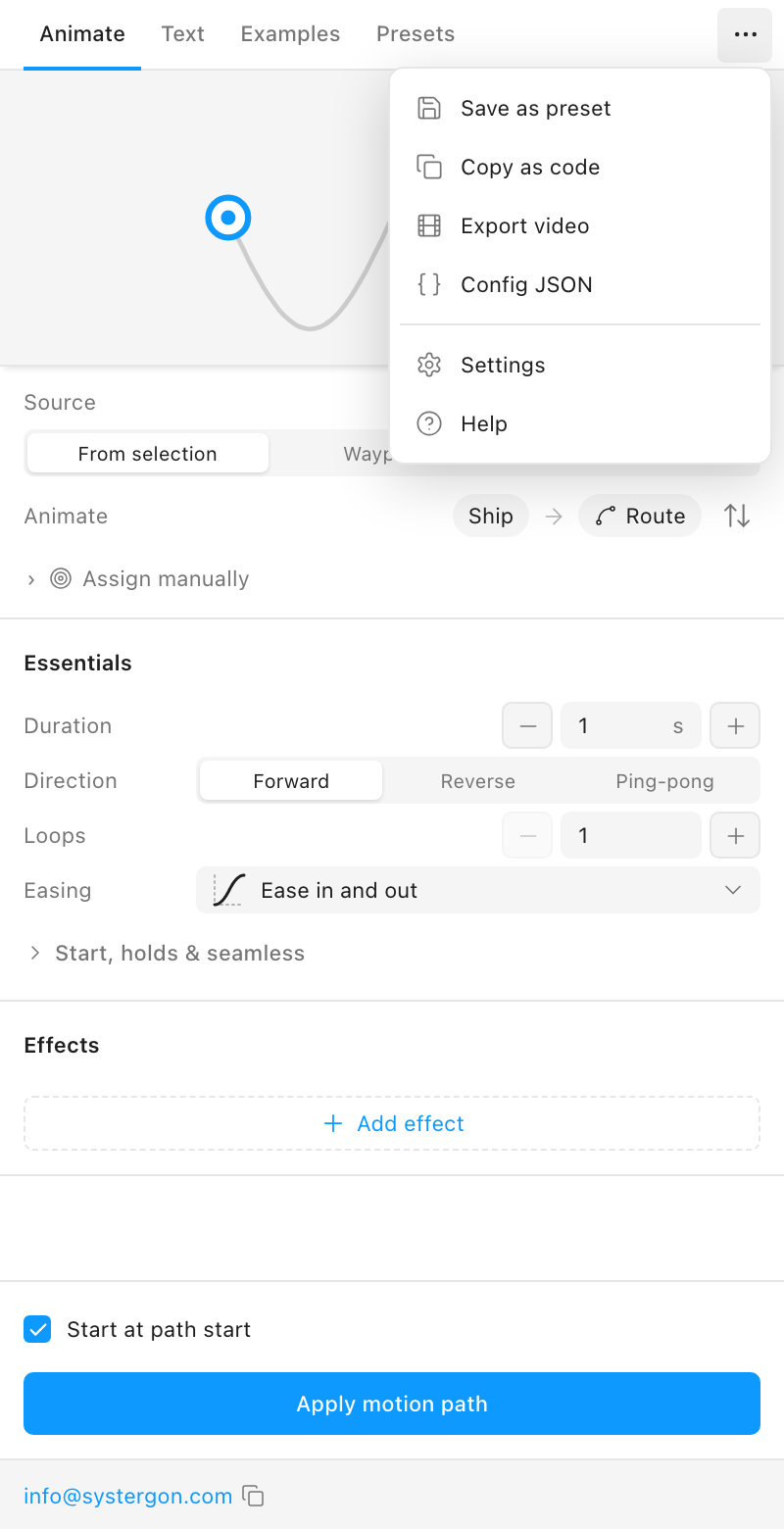
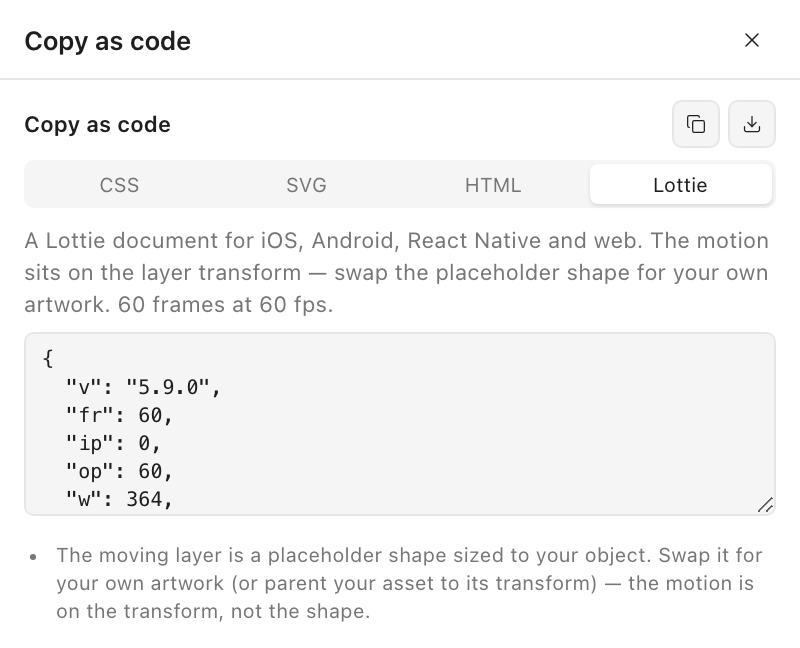
For orientation, since the rest of this page discusses the output. The conversion runs when you select the Lottie tab under … → Copy as code — and only then, because it bakes far denser keyframes than the CSS and SVG snippets beside it.
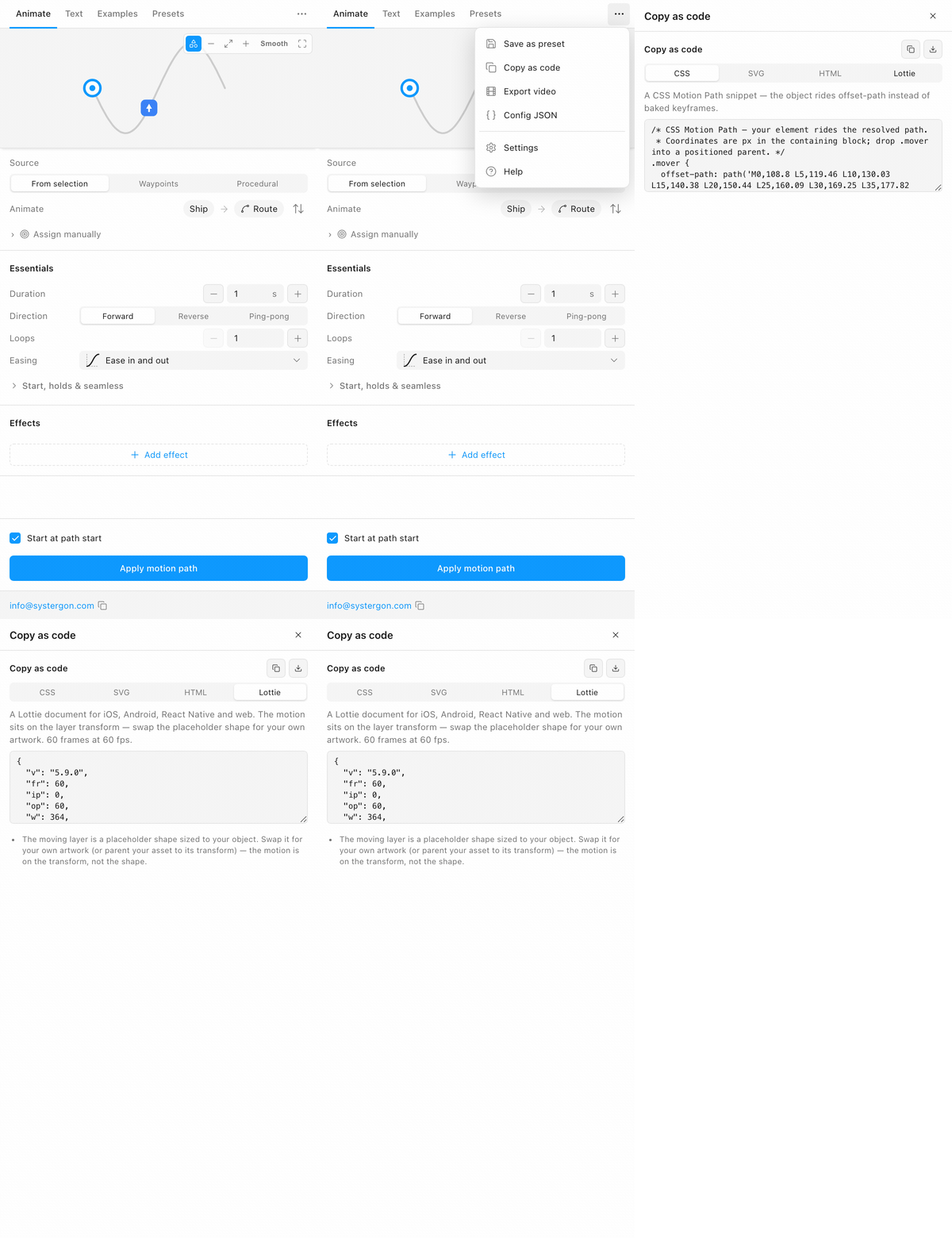
What comes out is a small, plain document — and its plainness is what the rest of this page is really about, because it is both the source of the fidelity and the source of the limits.
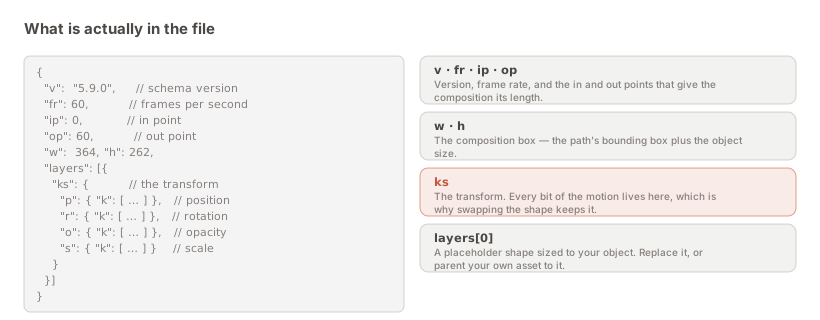
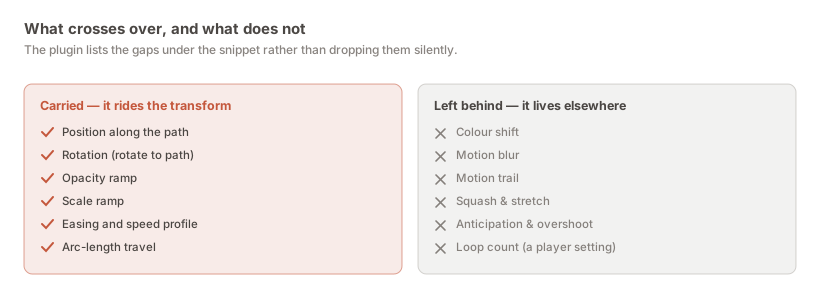
The rule is one sentence: the motion rides the layer transform, so whatever is on the transform crosses over and whatever is not, does not.
That is not an arbitrary limit of the exporter. It follows from a design decision that makes the file far more useful than it would otherwise be. The exported Lottie contains a placeholder shape sized to your object rather than your artwork, so a developer swaps in the real asset — or parents it to the transform — and keeps every bit of the motion. One motion file can drive different artwork, and artwork can be redrawn without the animation being re-approved.
The cost of that decision is exactly the second list. If the artwork is a placeholder, an effect that animates the artwork has nothing to animate.
The plugin prints whichever of these applied to your animation in the notes, generated from your configuration rather than as a fixed disclaimer:
This is the question every developer asks when they first open the file, and it looks like a defect until you know why.
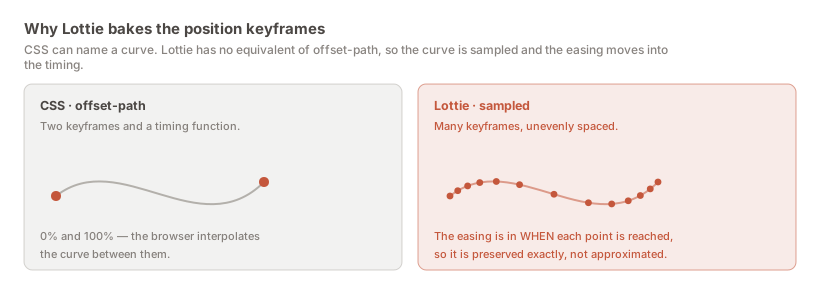
CSS has offset-path. You can hand a browser a curve, a duration and a timing function, and it does the rest — two keyframes and an easing. That is what the CSS tab in the same panel emits.
Lottie has no equivalent. There is no way in the format to say “follow this curve, with this easing.” An object riding a curve cannot be two keyframes and a timing function, because the curve itself has to be described.
So the path is sampled densely, and the easing is folded into when each sample is reached rather than into a timing function on top. The consequence runs the opposite way to what “baked” usually implies: your easing is preserved exactly rather than approximated by whichever cubic-bézier came closest to it. The uneven spacing of those keyframes is the easing, expressed directly.
It is the same approach the plugin already uses when baking to the Figma canvas, so the Lottie and the canvas animation are not two different interpretations of your intent.
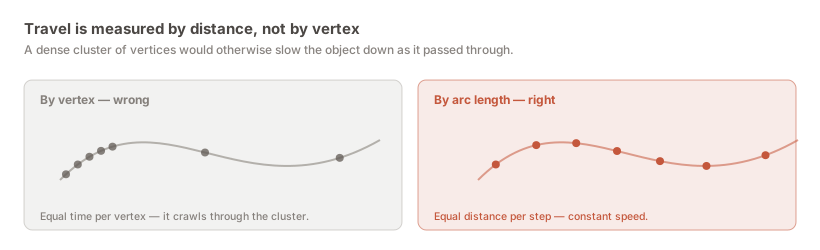
A related and easily missed detail. If travel were measured by vertex — equal time between each point in the path — then a section of your vector with a dense cluster of points would make the object crawl through it, and a long straight with two points would make it sprint. The speed of the animation would depend on how you happened to draw the path, which is not a property anyone wants.
Travel is measured by real arc length instead, so the object covers equal distance per unit time. Redrawing the same shape with more or fewer vertices does not change the motion. This holds in the export as well as on the canvas, because both read the same resolved polyline.
A Lottie that parses is not a Lottie that plays correctly, and the difference matters most at exactly the moment it is hardest to check — after the handoff, in someone else’s build.
The export was validated against a real player rather than by inspecting the JSON and deciding it looked plausible. Loaded into lottie-web, an object on a circular path holds a constant radius from the centre to within a fraction of a pixel; the facing sweeps a clean 360°; and the frame spacing is visibly uneven under an ease — which is precisely what “the easing is in the timing” should look like when you inspect it. Those are falsifiable claims, and they were tested.
Do the same with your own file. Drop it into any Lottie preview tool and compare it against the plugin’s inline preview, checking three things: does it start and end where you expect, is the speed even where the path is even, and does the composition box frame the motion rather than clipping it.
The comparison is fair because the preview is not a separate implementation:
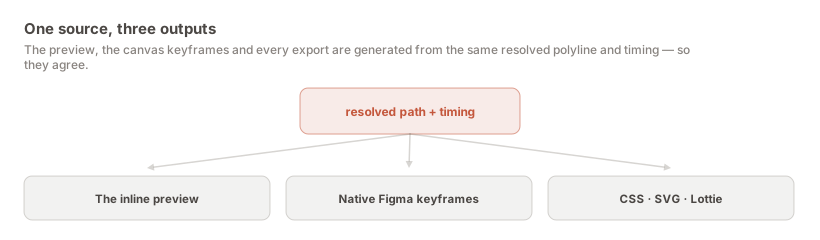
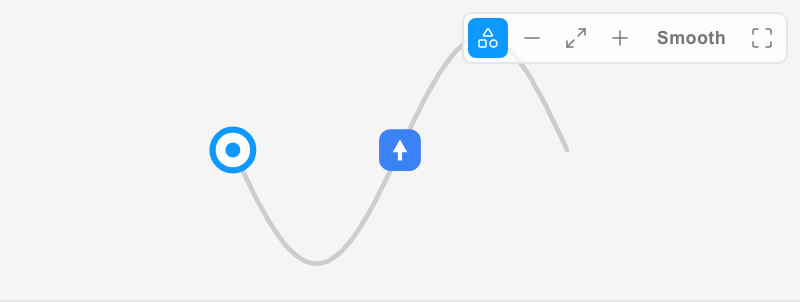
The preview draws your actual layer at its true size relative to the path, rather than a placeholder dot, so what you are judging is the real composition. Preview, canvas keyframes and exports all come from one resolved polyline and one timing model — there is nothing separate for them to drift from.
You have three honest options, and the wrong move is to hand over the Lottie without mentioning the difference.
Accept it. Often the effect was doing less work than you think. Motion blur on a two-second move at 60 fps is frequently invisible on a device; a subtle colour shift may not survive the surrounding interface anyway. Look at the animation without the effect before deciding it is essential.
Rebuild it in the player. Colour is the clearest case: if the artwork is being swapped in by a developer anyway, tinting it over time is something the player or the surrounding code can do, often more flexibly than the design could. This is worth suggesting rather than treating as a compromise.
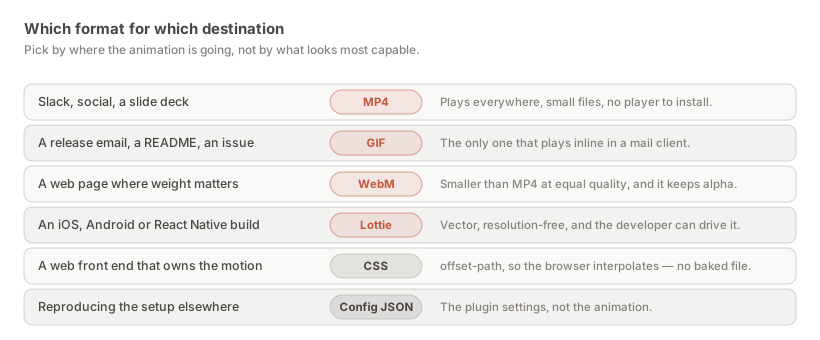
Send a video instead. If the effect genuinely is the animation — a trail that is the design, say — then a rendering is the more honest artefact. You lose the ability to drive it from application state, and you keep what the animation actually looks like. That is sometimes the right trade.
A separate question from what the export carries: does the file look the same everywhere it runs?
It should, and the reason is that the export deliberately keeps to the plain part of the format. The animation is transform tracks and nothing more exotic, on a schema version — 5.9 — that every maintained release of the four official players reads without a shim. Lottie’s newer and more elaborate features have uneven implementation across players, and a document that renders beautifully in lottie-web and subtly wrongly on Android is a worse outcome than a plain one that renders identically.
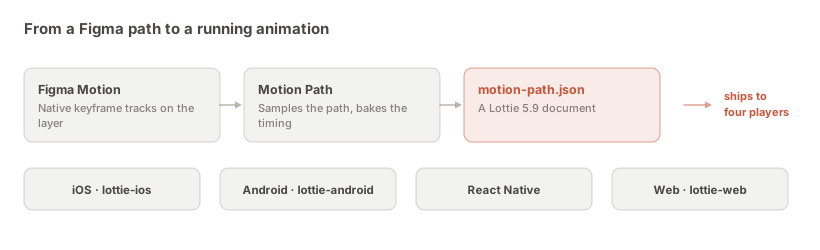
The practical implication is that you should not need to ask which Lottie version a team is on before sending them a file.
Worth flagging because it is not a fidelity problem and gets reported as one. When the placeholder shape is replaced by real artwork, the motion is mathematically unchanged — and it can still look different.
A heavier or larger asset reads as slower at identical timing. An asset whose visual centre sits away from its bounding-box centre can look like it is drifting off the path when the transform is exactly right. Neither is the export being wrong; both are reasons to review the swapped version rather than the exported file before signing anything off. Which point of your object follows the path covers the anchor control, which is usually the fix for the second one.
For anything on the layer transform — position, rotation, scale, opacity, easing — yes, and the easing is preserved exactly rather than approximated. For effects that live in the artwork or on the canvas, no; those cannot be represented and the plugin names them in the notes.
Because Lottie has no offset-path equivalent, so a curve must be described point by point rather than as two keyframes and a timing function. The easing then lives in the spacing of those points, which is why they are unevenly distributed.
Exactly, rather than approximately. Because the path is sampled and the easing is folded into the timing of each sample, there is no fitting step where a curve gets replaced by the nearest available one.
Yes. Travel is measured by real arc length in both the canvas animation and the export, so the object covers equal distance per unit time regardless of how the vertices in your path are distributed.
The timing has not changed. Larger and visually heavier assets read as slower at identical durations. Review the swapped version rather than the export, and shorten the duration if it needs it.
Not reliably. Lottie has no layer-blur equivalent that players implement consistently, so anything that appeared to work would be a per-player gamble. If the blur is essential to the design, export a video.
Load it into a Lottie player and compare it against the plugin’s inline preview. Check that it starts and ends where you expect, that the speed is even where the path is even, and that the composition box frames the motion without clipping.
It should. The export sticks to transform tracks on schema 5.9, which all four official players implement identically, rather than using newer features with uneven support.
No, and that is deliberate. It carries a placeholder sized to your object; the motion is on the transform, so swapping in real artwork keeps the animation exactly and lets one motion file drive different assets.
Install Motion Path — it’s free → Browse 300+ animation examples