Install Motion Path — it’s free → See the product page
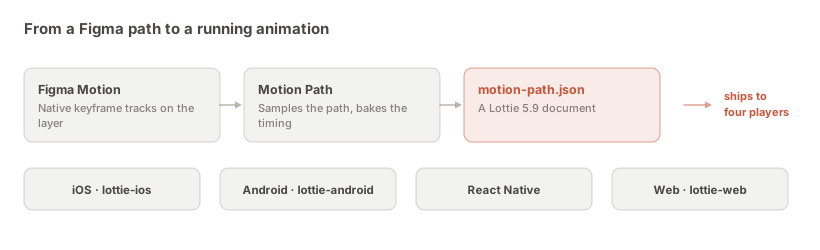
The short answer: apply your motion with Motion Path, open … → Copy as code, select the Lottie tab, and press the download icon in the panel header. You get motion-path.json — a Lottie 5.9 document with an application/json MIME type — which drops straight into lottie-web, lottie-ios, lottie-android or lottie-react-native with about five lines of code.
This page is the practical one: getting a real file onto disk with the right name, knowing what is inside it, and the code on each platform that makes it play. If you are not yet sure which JSON you want, read the three-JSONs comparison first — there are two others in the same menu and only this one runs.
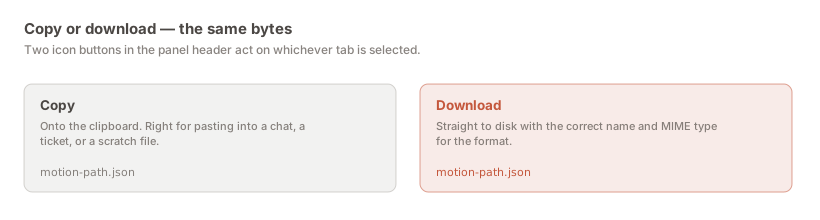
Two icon buttons sit in the header of the Copy as code panel, and they act on whichever tab is selected. The content is byte-identical. The only difference is where it lands, and that difference matters more than it sounds.
Copy is right when the JSON is going into a message, a ticket, or a scratch file you are about to paste into. Download is right when the file is going into a repository. Downloading matters there because it arrives correctly named and correctly typed — a clipboard paste into an editor gets whatever name and extension you happen to give it, and a .txt in an assets folder is a small bug waiting to happen at bundle time.
1. Apply the motion. The preview in the panel writes nothing to the canvas; the exports read the applied timeline. If you skip this the export has nothing to describe.
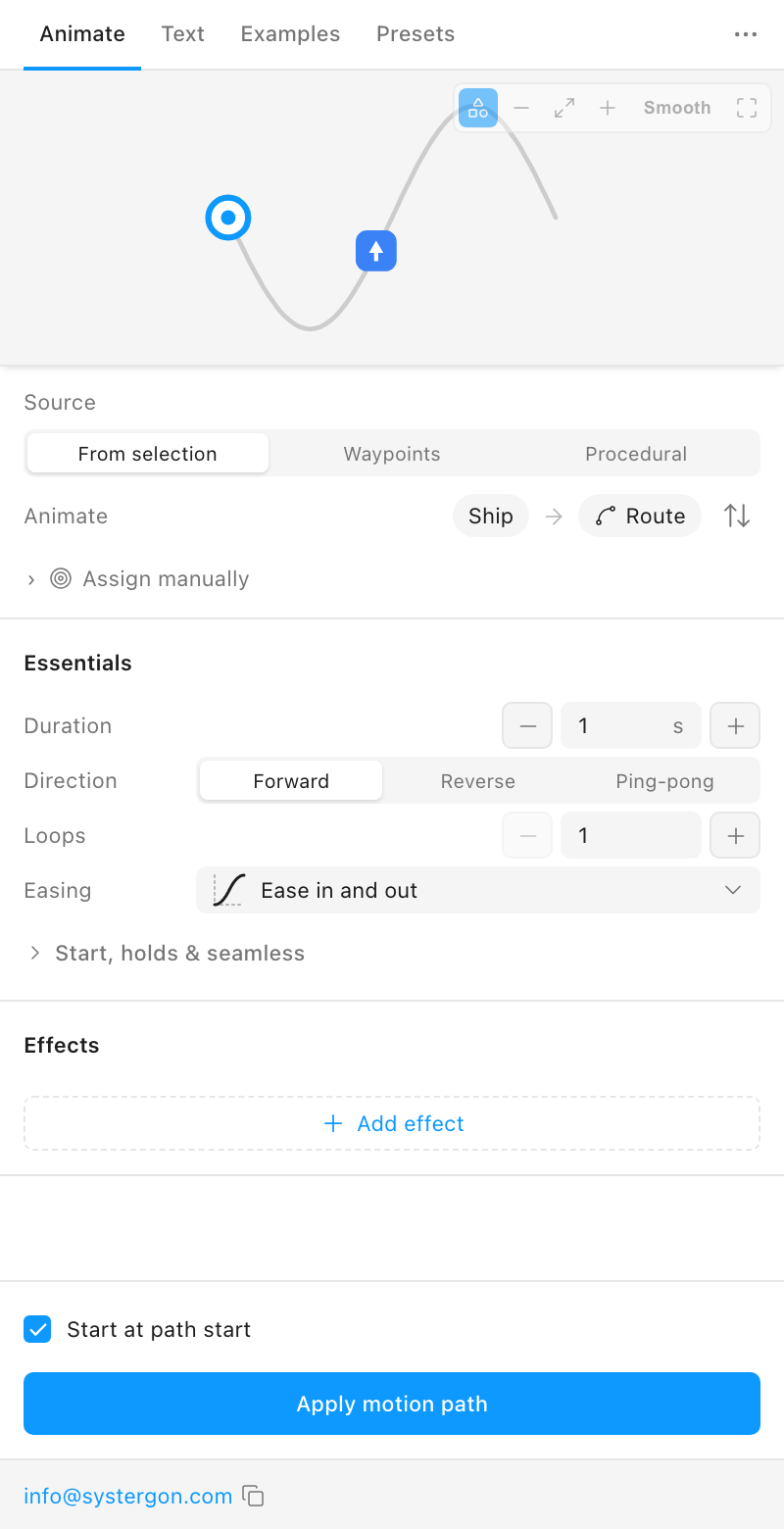
2. Open Copy as code from the … menu in the titlebar.
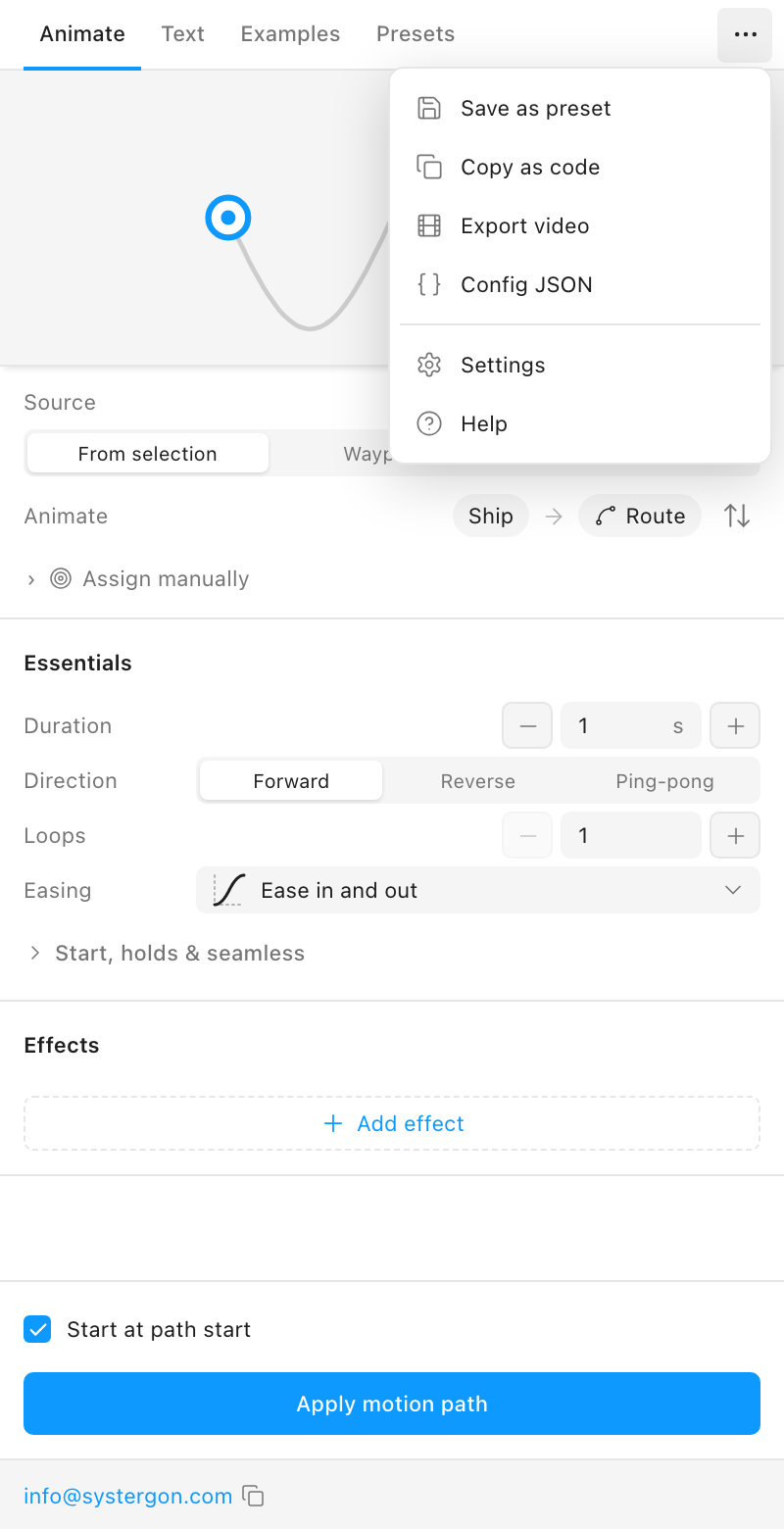
3. Select the Lottie tab. The panel opens on CSS. Four tabs are offered, and only one of them is a JSON document that plays.
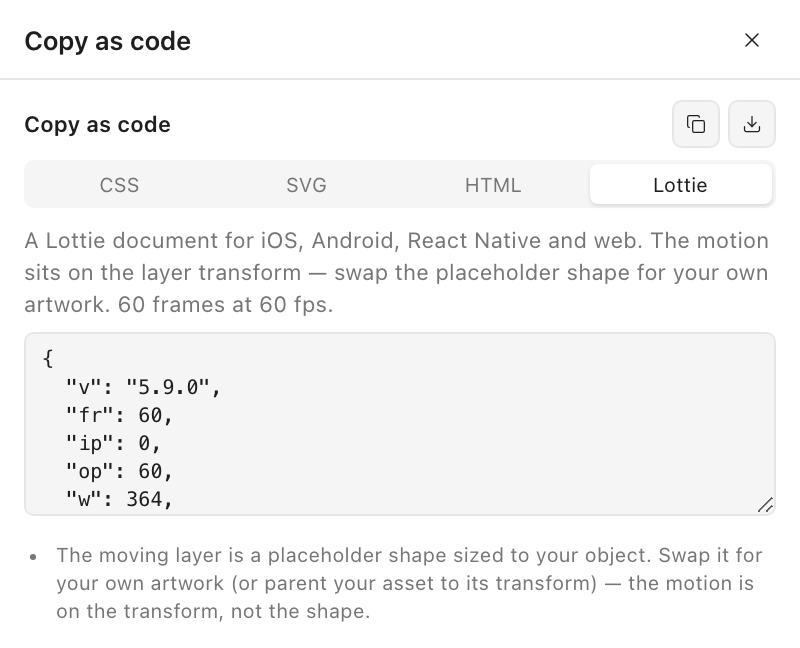
4. Press download. The file saves as motion-path.json. Rename it to something meaningful on the way into your repository — checkout-success.json rather than motion-path.json — because you will have several before long and they will all have the same name.
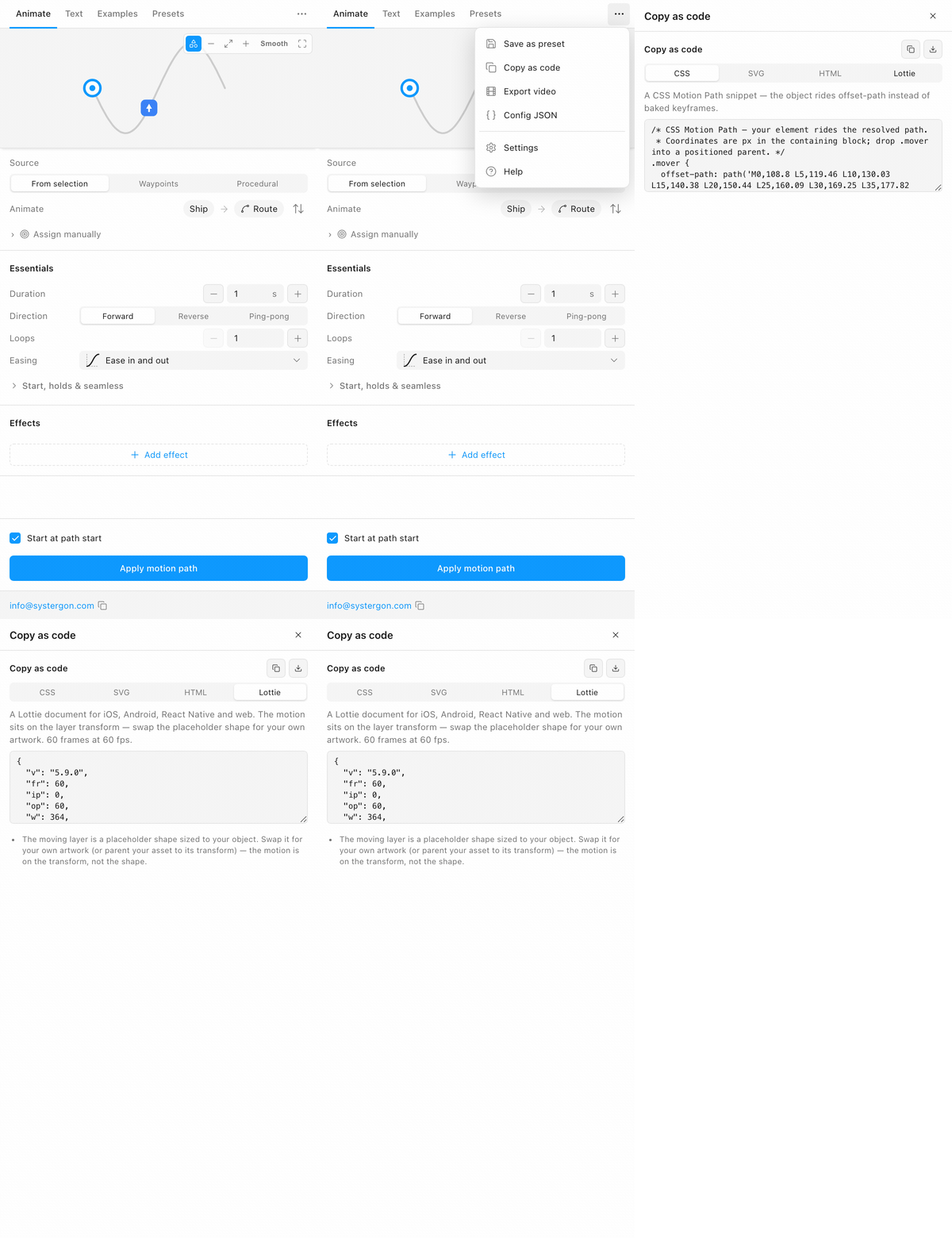
It is worth spending thirty seconds inside the file, because a developer who understands its shape can debug it and one who does not will file a bug against your design.
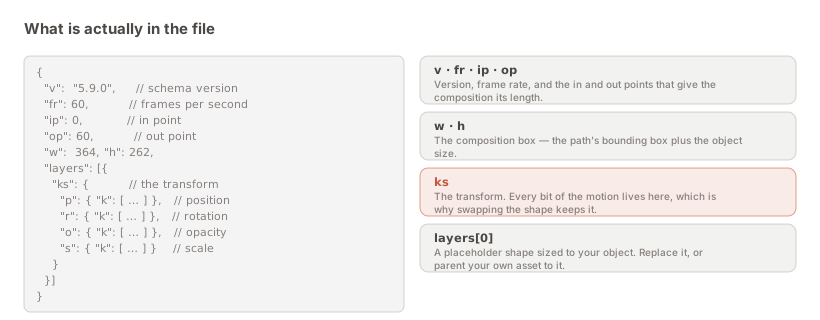
Six top-level fields and an array. v is the schema version — 5.9.0, which every current player reads. fr is the frame rate, ip and op the in and out points that give the composition its length, w and h the composition box derived from the path’s bounding box plus your object’s size.
Then layers, and inside the first layer, ks: the transform. Position, rotation, opacity and scale tracks. All of the motion is there — on the transform, not in the shape. The shape itself is a placeholder sized to your object, which is the single most important thing to communicate downstream.
The integration is short on every platform, and it is the same file in each case.
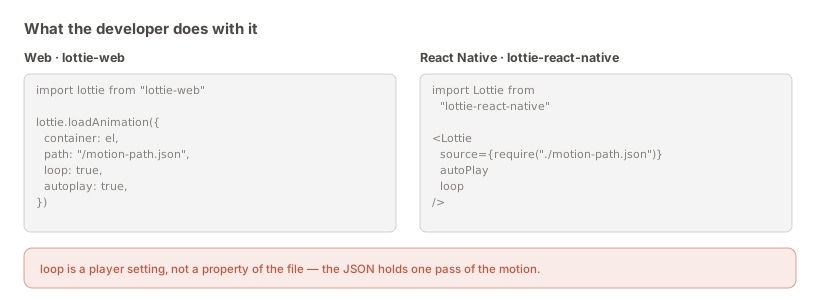
Web. Install lottie-web, then lottie.loadAnimation({ container, path: '/motion-path.json', loop: true, autoplay: true }). Serve the JSON as a static asset; it is plain text and caches like any other.
React Native. Install lottie-react-native, then <Lottie source={require('./motion-path.json')} autoPlay loop />. The require bundles it, so there is no fetch to fail.
iOS. Add the JSON to the app bundle and load it with LottieAnimationView(name: "motion-path"). Playback, speed and loop mode are properties on the view.
Android. Put the JSON in src/main/assets and point a LottieAnimationView at it with app:lottie_fileName, or load it in code. Same file, same result.
These are the questions that come back if you do not say them up front, and each of them costs a round trip.
The shape is a placeholder. The moving layer is a rectangle sized to your object, not your artwork. Swap it for the real asset, or parent the asset to that transform, and every bit of the motion carries over. This is deliberate rather than a limitation — it is what lets the same motion drive different artwork.
Looping is a player setting. The JSON holds one clean pass. loop: true in lottie-web, the loop prop in React Native, loopMode on iOS. If your Figma animation repeated the traversal, the export notes say so explicitly.
The notes list what is missing. Forward them with the file. They name any effect in your animation that Lottie cannot carry, so nothing is discovered late.
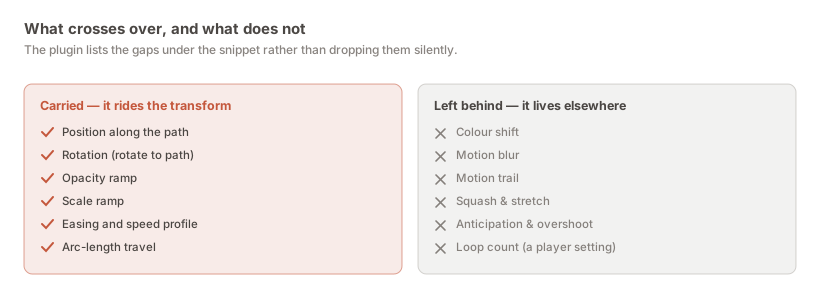
A JSON that parses is not a JSON that plays correctly, and the gap between the two is where a designer’s credibility goes. The check is cheap: load the file into a Lottie player and watch it beside the plugin’s own preview.
That is exactly how the export itself was validated rather than assumed. Loaded into lottie-web, an object on a circular path holds a constant radius from the centre to within a fraction of a pixel; the facing sweeps a clean 360°; and the frame spacing is visibly uneven under an ease — which is what “the easing lives in the timing” should look like when you inspect it. Those are falsifiable claims, and they were checked against a real player rather than by reading the JSON and deciding it looked plausible.
Three things are worth eyeballing on your own file. Does it start and end where you expect — not one frame short, not holding a beat you did not intend? Does the speed look constant where you drew a constant path, rather than crawling through a dense cluster of vertices? And does the composition box frame the motion, rather than clipping it at the edges?
The comparison is fair, incidentally, because the preview and the export are not two implementations of the same idea:
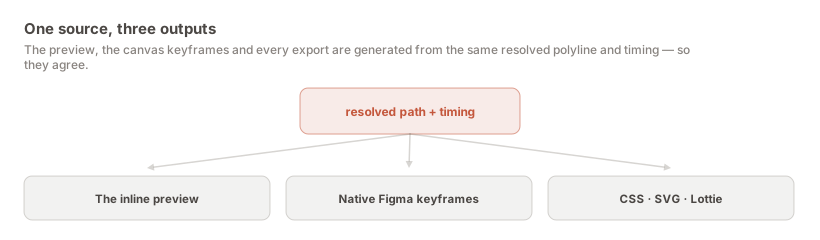
The preview, the canvas keyframes and every export come from one resolved polyline and one timing model. They cannot drift apart, because there is nothing separate to drift.
Nothing here creates a live link. The JSON is a snapshot taken when you pressed the button, and when the design changes the file does not. That is obvious written down and still surprises teams three sprints later, when the shipped animation is quietly not the one in the Figma file.
The habit that makes it survivable is to re-export rather than hand-edit. A JSON a developer has tweaked by hand cannot be regenerated without losing the tweak, and the moment that happens the Figma file has stopped being the source of truth — nobody announces it, it just becomes true. Re-exporting is cheap; that is much of why the plugin writes native Figma keyframes instead of running its own engine.
If a value genuinely needs to differ at runtime — speed, say, or where the animation pauses — that belongs in the player rather than in the file. Every Lottie player exposes speed, direction, and the ability to play a frame range, so a developer can hold the animation at 40% while a form validates without touching the JSON at all. That is a capability a video simply does not have, and it is worth pointing out when someone asks why you did not just send an MP4.
This is a small question that causes a surprising amount of friction, because designers hand over a file and engineers have to decide what it is before they can put it anywhere.
A Lottie is a static asset, not source code. On the web it belongs wherever images live and gets served with the same caching rules; it is plain text, so it gzips well and a CDN handles it without special treatment. In a React Native app it is usually bundled through require so there is no network fetch to fail on a cold start. On iOS it goes in the app bundle; on Android, in src/main/assets.
The decision that actually matters is bundle versus fetch. Bundling means the animation is guaranteed present and costs app size; fetching means it can be updated without a release and can fail. For a small interface animation — a success tick, a loading state — bundling is nearly always right, because the failure case of a missing animation at exactly the moment the user needs feedback is worse than a few kilobytes.
One thing worth agreeing early: who owns the file after handoff. If the answer is “the designer, and it is regenerated from Figma”, then nobody should be editing it in the repository and it is worth saying so in the pull request. If the answer is “engineering owns it now”, that is a legitimate choice too — but it means the Figma file is a reference rather than a source, and everyone should know that before the first divergence rather than after it.
The same … menu has a Config JSON item, and Figma itself has Copy as → JSON. Neither plays.
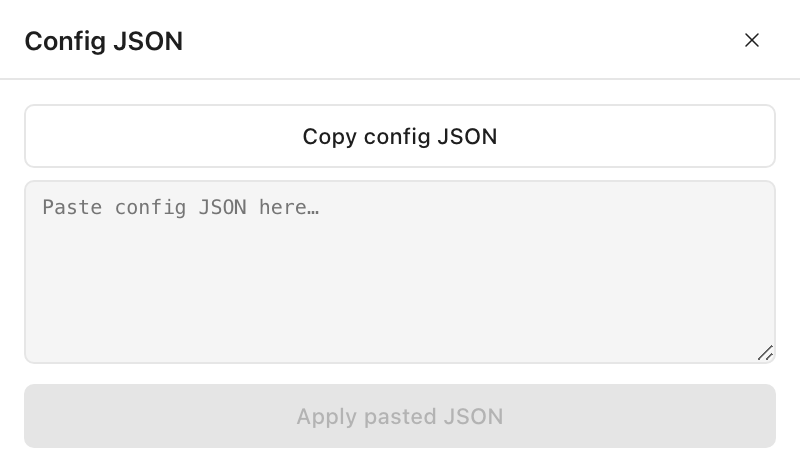
Config JSON holds the plugin settings that produced the motion — duration, easing, direction, effects — so a colleague can paste it and rebuild the same recipe on their own path. It is a good thing to send alongside a Lottie when a technique will be reused, and a useless thing to send instead of one.
Figma’s Copy as → JSON gives Figma’s own description of the native keyframes on the layer. It works on a Motion Path animation because the plugin writes native tracks rather than running its own engine. It is the right choice when a developer is already in Dev Mode and wants Figma’s representation; no Lottie player will read it.
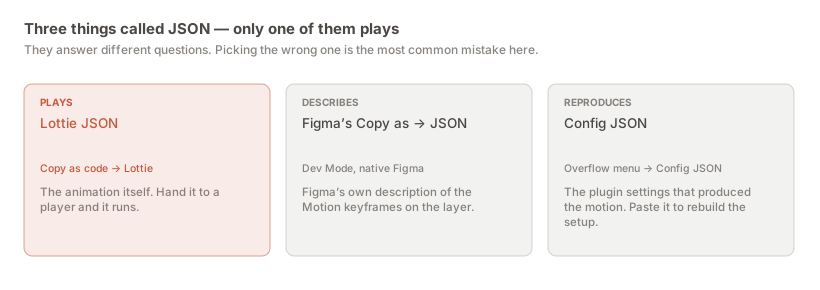
The quickest way to tell which file you are holding: a Lottie starts with "v", "fr", "ip", "op" and has a "layers" array. If there is no layers key, it is not an animation.
Apply the motion, open … → Copy as code in Motion Path, select the Lottie tab, and press the download icon. The file saves as motion-path.json.
motion-path.json, with an application/json MIME type, saved to your browser’s download location. Rename it to something meaningful before it enters a repository — every export has the same default name.
Yes — a Lottie 5.9 document. Every Lottie is JSON, but not every JSON is Lottie: the other two JSONs in this workflow are not animations and no player will read them.
Install lottie-web and call lottie.loadAnimation({ container, path: '/motion-path.json', loop: true, autoplay: true }). Serve the JSON as a static asset.
No. It carries a placeholder shape sized to your object, because the motion lives on the layer transform rather than in the shape. A developer swaps the placeholder for the real asset and the motion is unchanged.
Yes, in the player. The file holds one pass of the motion; loop: true in lottie-web, the loop prop in React Native, loopMode on iOS, and the equivalent on Android.
Because Lottie has no offset-path equivalent, so a curve has to be sampled point by point rather than expressed as two keyframes and a timing function. It is repetitive numeric text and compresses very well over the wire — typically still smaller than the MP4 of the same animation, and unlike the MP4 it is resolution-free.
You can, but it makes the file unregenerable: the next re-export loses your edit, and in practice the Figma file quietly stops being the source of truth. Change it in Figma and export again, or handle the difference in the player.
Yes. The Text tab has its own export in the same place, and it carries the letter-by-letter cascade as one Lottie layer per glyph, with the stagger baked into their timing.
Install Motion Path — it’s free → Browse 300+ animation examples